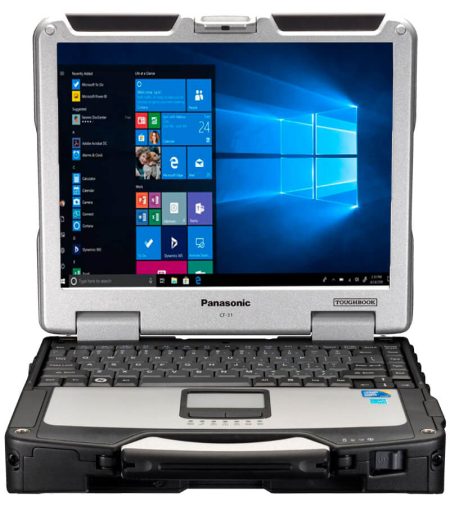

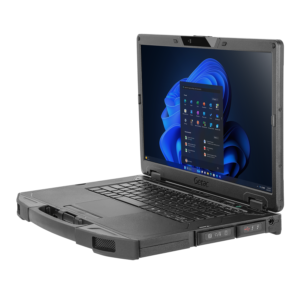
Office laptops are designed for desks, meeting rooms, and controlled indoor conditions. Fully rugged computers are built for far harsher settings, but their added protection can bring extra weight and cost. For teams working between these two extremes, semi rugged laptops can offer a practical balance of durability, portability, computing power, and price. They are particularly useful for employees who move between vehicles, job sites, warehouses, workshops, and offices throughout the day.
What Makes a Laptop Semi-Rugged?
A semi-rugged laptop starts with many features found in a business notebook, then adds protection against common field hazards. Depending on the model, this may include a stronger chassis, reinforced corners, a spill-resistant keyboard, covered ports, shock-mounted storage, and improved resistance to vibration.
Many models are tested against selected parts of the MIL-STD-810 standard. Buyers should examine which tests a device has completed rather than relying on a broad “military-grade” claim. Drop height, vibration exposure, temperature range, humidity, and test procedure all affect what a certification means in daily use.
Semi-rugged does not mean indestructible. These computers may withstand minor drops, vehicle vibration, dust, and occasional liquid exposure, but they may not provide the sealing or extreme-temperature performance required for severe industrial or emergency-response conditions. That distinction helps buyers avoid paying for protection they do not need—or selecting too little protection for the job.
Which Teams Benefit Most?
Semi-rugged systems suit mobile workers whose laptops face regular handling, transport, and environmental exposure without operating continuously in extreme conditions. Common users include field service technicians, utility inspectors, construction supervisors, warehouse managers, delivery coordinators, insurance adjusters, public safety personnel, and vehicle-based teams.
Consider a technician who begins the day in an office, drives to several service calls, enters notes inside a vehicle, and carries the computer through dusty mechanical rooms. A standard laptop may be vulnerable to repeated vibration, accidental drops, and spills. A fully rugged machine could handle those risks, but it may exceed the technician’s actual needs. A semi-rugged model often provides enough physical protection while remaining comfortable to carry and use indoors.
What Should Buyers Evaluate?
Durability matters, but it should not be assessed alone. A device must also support the software, connections, and working patterns of its users.
Start with the operating environment. Document likely drop heights, exposure to dust or moisture, vehicle use, temperature changes, and the frequency of outdoor work. This creates a clearer baseline for comparing models and test results.
Display visibility is important for employees who work outside. Screen brightness, glare reduction, viewing angles, and touchscreen response can affect whether a user can read plans, complete forms, or review diagnostics in sunlight. If gloves are common, confirm that the touch display supports them.
Battery design also deserves attention. Long runtime is helpful, but a replaceable or hot-swappable battery may be more valuable for extended shifts. Charging options for vehicles and docking stations can reduce interruptions between assignments.
Ports and wireless connections should match existing equipment. Field teams may need Ethernet, serial ports, USB-A, USB-C, HDMI, cellular broadband, GPS, or specialized connectors. Adapters can fill some gaps, though they add pieces that can be lost or damaged.
Finally, review service access, warranty terms, replacement-part availability, and support periods. The purchase price tells only part of the story. Repair frequency, employee downtime, device lifespan, and accessory compatibility all contribute to the total cost of ownership.
How Do the Main Laptop Categories Compare?
A standard business laptop usually offers the lowest weight and widest selection. It works well for office-based employees and occasional travel, but it may require a protective case and more careful handling in the field.
A semi-rugged computer adds physical protection without reaching the bulk or cost of a fully rugged unit. It is often the sensible choice for mixed indoor and outdoor work, vehicle use, and moderate exposure to dust, vibration, drops, or spills.
A fully rugged laptop is designed for demanding conditions such as heavy rain, blowing dust, severe temperatures, repeated drops, or continuous industrial use. The added protection is worthwhile when device failure could interrupt critical work or create a safety concern.
Make the Choice Around the Job
The right laptop category depends on where employees work, what hazards occur, and how costly a failure would be. Before purchasing, ask users about real working conditions, confirm software and port requirements, and compare documented test results. A short field trial can also reveal issues with screen visibility, battery life, weight, mounting, and connectivity before a larger rollout.
For organizations seeking durable computers for mobile and field-based work, Tough Rugged Laptops provides hardware options suited to demanding professional settings. Visit the website to compare available systems and find a laptop that matches your team’s environment, applications, and budget.