
Why Compact Rugged Tablets Remain Useful for Mobile Fieldwork
Field employees need fast access to service records, forms, maps, inventory information, and business applications without carrying bulky equipment. The panasonic fz m1 tablet was designed around this requirement, combining a compact seven-inch format with Windows computing and protection for demanding workplaces.
Portability Without Depending on a Smartphone
Smartphones are easy to carry, but their smaller displays can make detailed forms, equipment diagrams, and desktop-oriented applications difficult to use. Full-size rugged laptops offer more screen space and a physical keyboard, although they may be inconvenient for employees who spend most of the day walking or working in confined areas.
A compact tablet provides a middle ground. Its screen is larger than that of a typical phone, while its size allows workers to hold the device in one hand or carry it with a strap. This format may suit employees who must frequently move between vehicles, customer sites, storage areas, and pieces of equipment.
The FZ-M1 has a seven-inch WXGA touchscreen. Its compact dimensions make it suitable for tasks that require mobility rather than extended desk-based typing.
Built for Field Conditions
Consumer tablets are primarily intended for homes, offices, and classrooms. They may be exposed to greater risks when used near tools, machinery, water, dust, or moving vehicles.
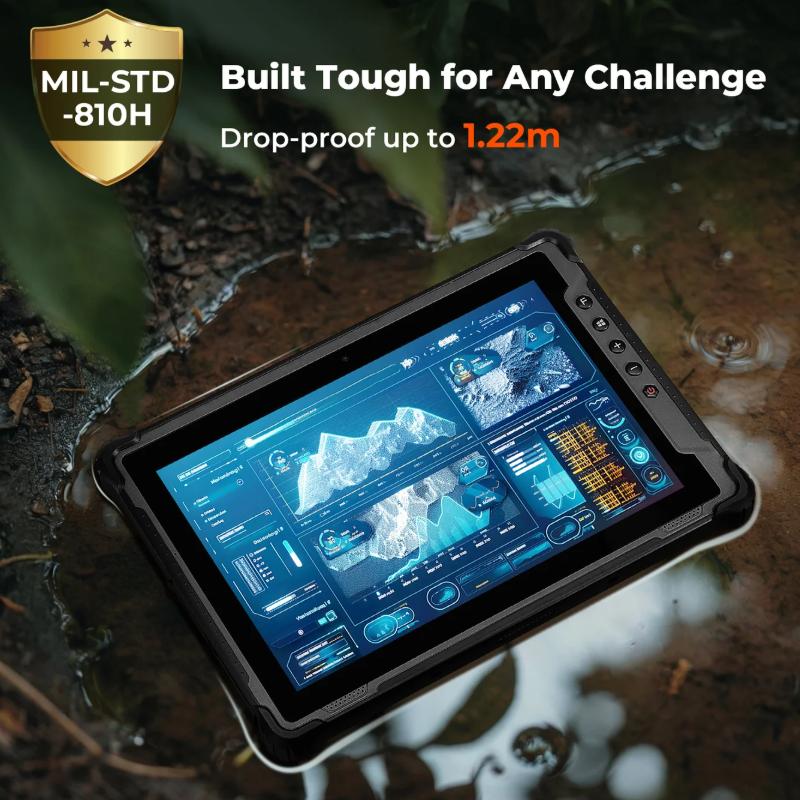
Rugged tablets use reinforced frames, protected connection points, and other design measures to reduce the risk of damage. The purpose is not to make a tablet indestructible. Instead, rugged construction helps it withstand the types of incidents that can occur during normal fieldwork.
Organizations should always compare a device’s documented test standards with their actual environment. A tablet used in a warehouse may face drops and dust, while one used by a utility crew may encounter rain, vibration, and temperature changes.
Support for Windows-Based Workflows
One notable feature of the FZ-M1 family is its use of Windows rather than a mobile-only operating system. This allowed businesses to run compatible applications that employees might already use on office computers.
Windows support can be important when field teams depend on specialized inspection, diagnostic, inventory, or reporting software. It may also make file handling and peripheral connections more familiar to employees.
However, FZ-M1 configurations were sold with different Windows versions and hardware specifications. Buyers considering a refurbished unit should confirm that its operating system is supported by their IT department and that it can run the required application versions.
Touch Input for Active Work
Field employees often need to enter information while standing or moving between locations. A traditional keyboard and mouse may not be practical in these situations.
Many FZ-M1 configurations include a multi-touch display designed to support gloved operation. This can help technicians, warehouse employees, and other workers who wear protective equipment during their shifts.
Touch input may be used to select records, complete checklists, capture signatures, or update job statuses. Some applications may still require a stylus or physical keyboard for detailed data entry, so organizations should test their normal workflow before deploying multiple devices.
Configuration Options for Specialized Tasks
Field operations often involve more than viewing information. Employees may need to scan barcodes, read identification tags, connect to a network, or collect payment information.
The FZ-M1 family was offered in numerous configurations. Depending on the exact model number, options could include barcode readers, magnetic-stripe readers, RFID capabilities, mobile broadband, LAN connections, cameras, and other features.
This variety makes the exact part number important. Two FZ-M1 tablets may look almost identical while having different processors, storage capacities, ports, wireless hardware, and data-capture modules.
Buyers should create a list of required functions before selecting a unit. Paying for an unnecessary reader increases cost, while ordering a tablet without a required connection can prevent it from performing the intended job.
Battery Access During the Working Day
Mobile personnel may not have regular access to charging outlets. Battery planning should therefore be part of the device-selection process.
FZ-M1 configurations may include a bridge battery that supports battery changes without fully shutting down the tablet. This can help employees continue working while installing a charged battery.
Battery condition is especially important when purchasing older or refurbished hardware. Runtime may vary based on battery age, screen brightness, wireless activity, temperature, and software demand. Buyers should ask about battery testing, replacement availability, and charging accessories.
Common Field Applications
A compact rugged tablet can support work across several industries. Warehouse employees may use it for inventory checks and barcode scanning. Utility teams can access work orders, maps, and asset records. Field service technicians may review repair histories and submit job updates.
Transportation personnel can use a compact tablet for route information and delivery records. Manufacturing employees may carry it during inspections, while public safety teams can access approved applications without depending on a full-size laptop.
The device is most suitable when workers need a Windows computer that can be carried throughout the day and used in environments where consumer tablets may be too fragile.
Availability and Replacement Planning
The Panasonic FZ-M1 has been discontinued. Organizations interested in this model should confirm the availability of refurbished units, batteries, docks, chargers, and replacement parts before making a purchase.
A refurbished FZ-M1 may still suit a business that uses existing accessories or software designed around the device. Other organizations may benefit from considering a newer replacement model with longer software support and more recent hardware.
The correct decision depends on the required applications, planned service period, available accessories, and total ownership cost. To check FZ-M1 availability, discuss compatible accessories, or identify a current rugged tablet for your field team, contact Tough Rugged Laptops today.