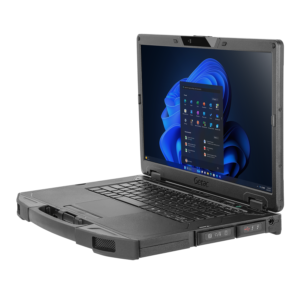

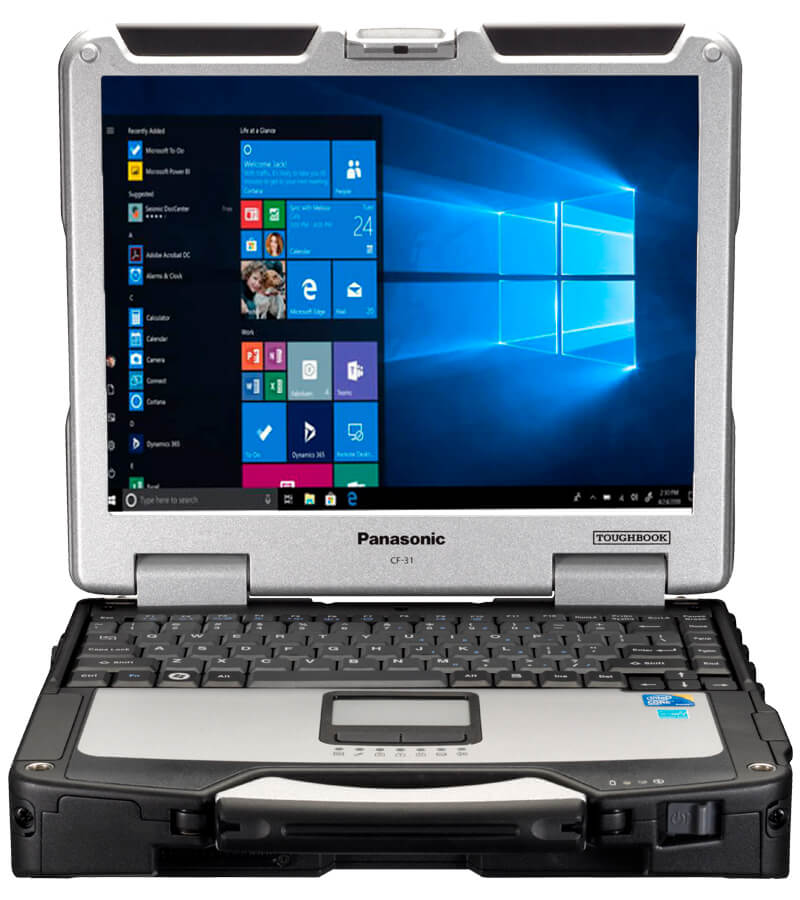
A refurbished rugged computer can help an organization control equipment costs without relying on consumer hardware that was not designed for difficult working conditions. The panasonic toughbook cf 31 laptop remains an option for public safety, utility, construction, transportation, and field-service teams. However, available units may differ considerably in generation, specifications, condition, and included equipment. Buyers should examine each configuration carefully before making a decision.
Identify the Exact CF-31 Generation
The CF-31 was produced across several generations, often identified by a Mark or “Mk” number. These versions may contain different processors, connection options, and compatible components.
Do not rely on the CF-31 model name alone. Ask the seller for the complete model number and Mark designation. This information can help confirm hardware specifications and compatibility with batteries, storage caddies, optical drives, docks, and other accessories.
Organizations purchasing multiple units should decide whether every employee needs the same generation. Standardizing the fleet can make maintenance, software deployment, training, and replacement-part management easier.
Match the Processor to the Workload
A rugged exterior does not guarantee that a computer can run every modern business application. The processor must be suitable for the programs employees use each day.
Basic tasks may include:
- Completing inspection forms
- Accessing browser-based platforms
- Viewing manuals and diagrams
- Updating service records
- Managing email and documents
- Running older diagnostic software
Mapping, video, large databases, or several programs running at once may require a stronger processor. Check the recommended requirements for all essential software before selecting a unit. Buyers should pay particular attention to older programs that depend on specific operating systems or connection types.
Review the Installed Memory
Memory affects how well a computer manages several open applications. A unit with limited memory may be suitable for a single legacy program but struggle when employees also use web browsers, communication tools, and reporting software.
Ask how much memory is installed and whether the computer can accept an upgrade. Purchasing a properly configured unit at the start may be more practical than upgrading every laptop after delivery.
The correct amount should reflect the real workload rather than a general recommendation. Testing one sample unit with the organization’s software can provide useful evidence before a larger purchase.
Check Storage Type and Capacity
A refurbished CF-31 may be available with different storage configurations. Confirm whether the unit includes a solid-state drive or another storage type, along with its total capacity.
Estimate the space required for:
- The operating system
- Business applications
- Offline maps
- Manuals and technical documents
- Photos and inspection records
- Security software
- Future updates
Employees who work without dependable internet access may need more local storage than users who save most files to a company server.
Buyers should also confirm that the storage caddy is included. CF-31 caddies and related components may vary by model generation.
Confirm Operating System Compatibility
Operating system support requires close attention when purchasing older business hardware. Some organizations use the CF-31 because it can support legacy applications or equipment that may not work with newer computers.
Confirm which operating system is installed, whether it is properly licensed, and whether the organization’s security policies permit its use. IT teams should also review update availability, device drivers, network requirements, and compatibility with endpoint protection software.
If the computer will connect to sensitive systems, its operating system and security controls should receive the same review applied to newer devices.
Evaluate Battery Condition
Battery condition can vary significantly among refurbished laptops. A battery may hold less charge after years of use, even when the computer itself functions correctly.
Ask whether the battery has been tested and whether the seller provides any capacity information or battery coverage. Teams working through long shifts may also need:
- Spare batteries
- Long-life battery options
- External battery chargers
- AC adapters
- Vehicle power adapters
Battery and charger compatibility should be checked against the exact CF-31 generation. A low-priced laptop can become more expensive if several power accessories must be purchased afterward.
Review the Display and Keyboard
Display condition is important for both indoor and outdoor work. Inspect or request information about brightness, dead pixels, pressure marks, scratches, and touchscreen response where applicable.
Employees working outside may need a screen that remains readable in sunlight. Users wearing gloves may require a suitable touchscreen or stylus. Field teams working in low-light settings may benefit from a backlit keyboard.
The CF-31 can be found with different keyboard options, including rubberized and emissive backlit versions. Buyers should make sure the selected keyboard fits the user’s working conditions and typing needs.
Verify Ports and Wireless Features
Older rugged computers are sometimes chosen because they can work with specialized equipment. Before ordering, list every scanner, printer, diagnostic device, antenna, external display, and storage device that employees must connect.
Confirm the available ports and whether the laptop includes cellular or GPS hardware if those features are required. Product listings should not be assumed to include every possible option.
Plan for Docks and Vehicle Installation
Vehicle users may need a compatible dock, mounting system, power supply, and antenna setup. CF-31 docks can differ in port replication, locking mechanisms, and antenna pass-through support.
Verify the complete installation before buying several laptops. Confirm that the dock matches the computer generation and does not interfere with vehicle controls, passenger space, or safe equipment access.
Assess the Refurbishment Process
A professional refurbishment should involve more than cleaning the exterior. Ask what components were tested, whether storage was replaced, how the battery was evaluated, and what cosmetic condition to expect.
Warranty coverage, return terms, repair availability, and replacement parts should also influence the purchasing decision. These factors can be more valuable than a small difference in the initial price.
A carefully selected CF-31 can remain useful when its hardware, software, accessories, and operating environment are properly matched. To compare available units, configuration choices, batteries, keyboards, docks, chargers, and related field-computing equipment, visit Tough Rugged Laptops and request help identifying a suitable CF-31 setup for your organization.